Creating a Personal Budget
Free to teach as-is — the teacher guide, student handout, and slides are included.
Free — we'll email you an access link. Google Docs format.
Objective
I can create a personal budget and explain how it helps manage finances.
Part 1 of 4
Warm-up video
Great Lakes · 4:21
We don't generate video — this one is by Great Lakes on YouTube. The practice questions and exit ticket below were drafted by AI for this objective, and every question is editable in the teacher guide.
Part 2 of 4
Key concepts
3 concepts
- 1
The first step in creating a budget is to track your income and expenses using a money journal.
- 2
When determining your expenses, you can look back at past checking or credit card statements, look forward to budget for fixed expenses, and use your money journal to analyze spending.
- 3
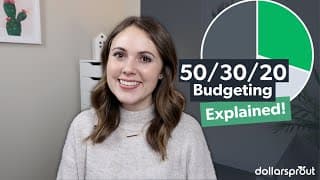
The 50-20-30 rule suggests allocating 50% of your income to essential expenses, 20% to savings and debt repayment, and 30% to lifestyle choices.
Part 3 of 4
Practice
12 questions
What is the first step in creating a personal budget, according to the video?
Why is it important to track both income and expenses when creating a budget?
Part 4 of 4
Exit ticket
Quick comprehension check
“Create a monthly budget using the 50-20-30 rule, assuming a monthly income of $1000. List the amounts allocated to essential expenses, savings/debt repayment, and lifestyle choices, and briefly explain how this budget can help you manage your finances.”
Sample answer included in the free materials
Get the materials
Teacher guide, student handout, and slides — free, in Google Docs format
Teacher Guide
Complete lesson plan with answer keys and alternate activities
Student Handout
Printable worksheet
Slides
Ready to present
We'll ask for your email to send your access link — nothing else.
Teaching a group at a different level?
Where are your students right now? We'll rebuild this lesson to match — including the teacher guide, student handout, and slides, saved to your Google Drive.
Adapt This Lesson